How to Select an Appropriate Toy Box & Make 3D Toys at Home

It can be difficult to find engaging children's toys when they easily lose interest in classic toys.
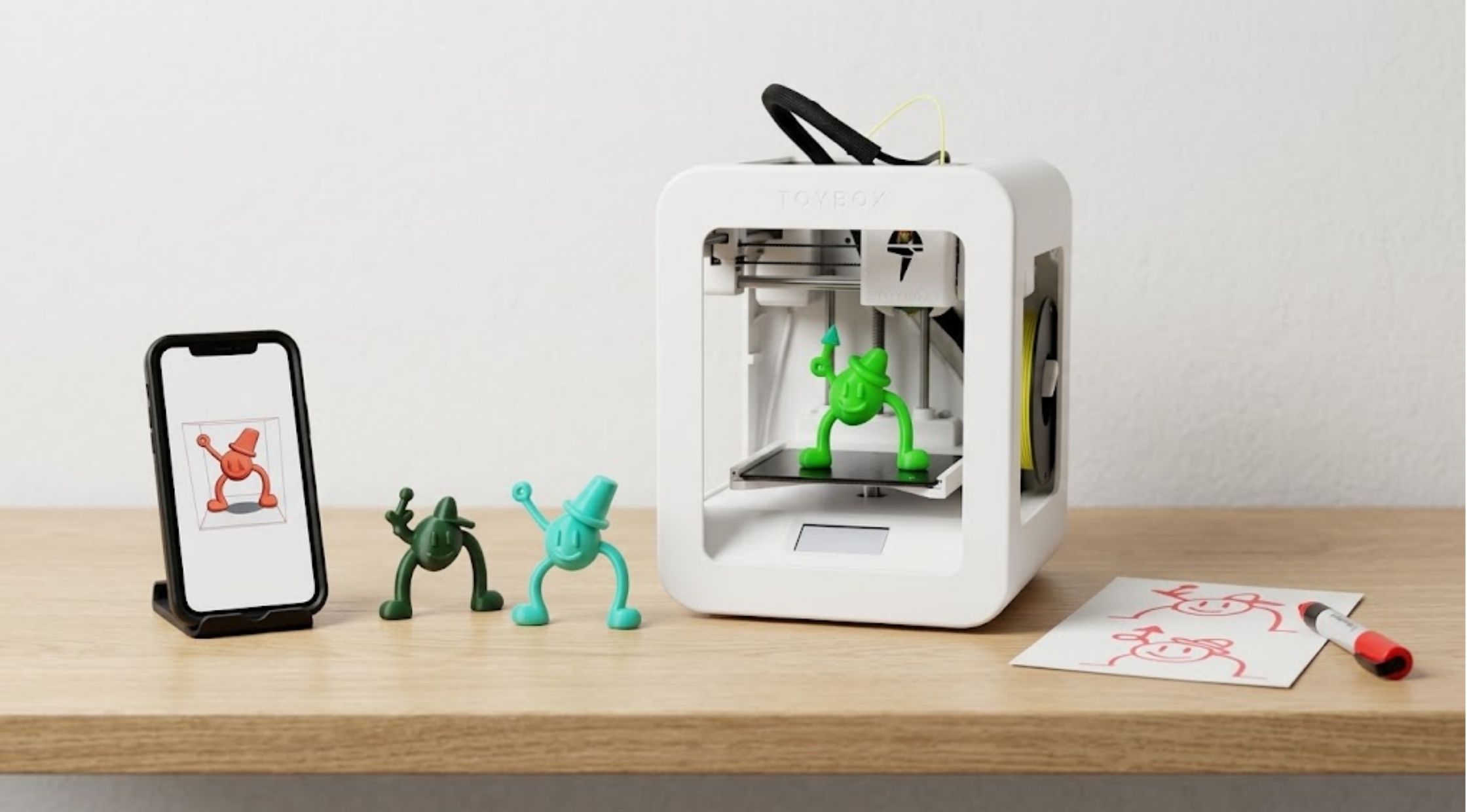
It can be difficult to find engaging children's toys when they easily lose interest in classic toys. One alternative is allowing children to create, customize and produce their own toys.
Toybox is a child-focused 3D printer, a digital toy catalog and a set of creative tools. The system allows users to view designs, make their own designs and print toys at home.
Toybox System Mechanics, Creator Space, & Printer Food
Choosing the Right Toy Box
Typically, a toy box offers storage but modern play can also be enhanced by tools that enable children to create something new.
When selecting a toy storage or creative play product, take into account the age, space, interests and frequency of toy use.
Toybox goes a different route, making the process of creating a part of the play experience. The Alpha Three printer it uses is currently made to be easier to setup and print faster than the original Toybox printer.
Great for families who want an activity that blends creativity and physical activity.
In the Best of All Possible Worlds, Toy Box 3D Printing Functions as Follows
The goal of Toybox is to be simple, find, print, and play.
The digital catalog can be browsed, a design selected and users can begin the print job. The Creator Space also provides users with the ability to design and customize their own designs.
Toybox can also import models such as STL, OBJ, 3MF and gCode.
This provides children and families with greater flexibility than just using pre-designed toys.
What Is Toybox Printer Food?
Toybox printer food might sound like food but it's the name of Toybox for their 3D printer filament.
Toybox says its Printer Food is 1.75 mm PLA plastic, which is not edible. According to the company, it's made from corn and compostable.
The Printer Food is available in various colors and finishes. They are available in a variety of colors including blueberry, coconut, sesame, mint, tangerine and charcoal.
Remember to keep Printer Food away from children who might think the names are the same as the food.
Learn How to Select Printer Food Colors
Use color choices to enhance the creative aspect of the printing process.
Toybox are now selling them in individual Printer Food rolls and themed rolls. Certain bundles have multiple colours and are based on a familiar entertainment brand.
When children frequently make various kinds of toys, more colors might make them more interesting.
Toybox also sells jumbo 500 gram packets of Printer Food for larger printing jobs.
3D Printed Toy Workflows, Hardware Specs, & Playroom Integration
How to Make 3D Printed Toys
3D printed toys can transform a child's conception into a tangible toy.
Toybox offers a huge digital catalog as well as the ability to design one's own. It has a Creator Space with designing and customizing tools for toys.
This can make this printer more than just a downloadable printer.
Before printing, parents might ask children to consider what they would like to make. It can be easier to work through the process if it is broken down into simple shapes and then slowly introduced to more complex models.
How to Choose a Toybox Printer
Take into account the size of the printer, its ability to handle materials, its printing capacity, its level of detail, how it connects with other devices, and how easy it is to use.
The current Toybox product information states that the print volume is  , print speed is
  , the print resolution is 200 microns, it has WiFi capability and it is compatible with STL, OBJ, 3MF and gCode formats.
These specs can help you decide if the printer will fit in your space and will suit your projects.
How to Get More From a Toybox
A creative 3D printer's worth is determined by how frequently it is used in regular play.
Invite children to read through the catalogue, make changes to the designs and eventually develop their own models. Toybox also claims that the Creator Space is able to accept models from other platforms and third-party PLA filament with 1.75 mm diameter.
When choosing materials, though, adhere to manufacturer's recommendations for consistent print quality.
Safety Standards & Material Guidelines
Safeguarding 3D Printed Toys
Not all 3D models are suitable for kids of all ages. Take into account the size, shape, durability, and purpose of all print products.
Printed objects that are small can also be a choking hazard for young kids. Supervise children as per their age and the characteristics of the printed object.
When using for general play, use designs that are suitable for the age of the child and do not presume that all printable models are appropriate for children.
Conclusion
Final Thoughts on Toybox 3D Printing at Home
A traditional toy box can also be used to organize playrooms but creative tools can bring another dimension to the play.
Toybox is a child-centric 3D printer, digital designs and creative software that will enable home users to create 3D printed toys.
When purchasing Printer Food, note that a toybox printer food is a food themed term for printer filament, not food.
Families can use appropriate materials, age-appropriate projects and designs to make 3D printing a viable part of playtime.